User reference / Read the reports
Plan views & controls
Understand the dependency graph, step list, success metrics and raw material behind a proposal.
Each proposal and the selected plan have an interactive dependency graph, a step list and success metrics. Proposal cards also expose the saved raw prompt and response. These describe a proposed plan, not tasks Slow Thinker has carried out.
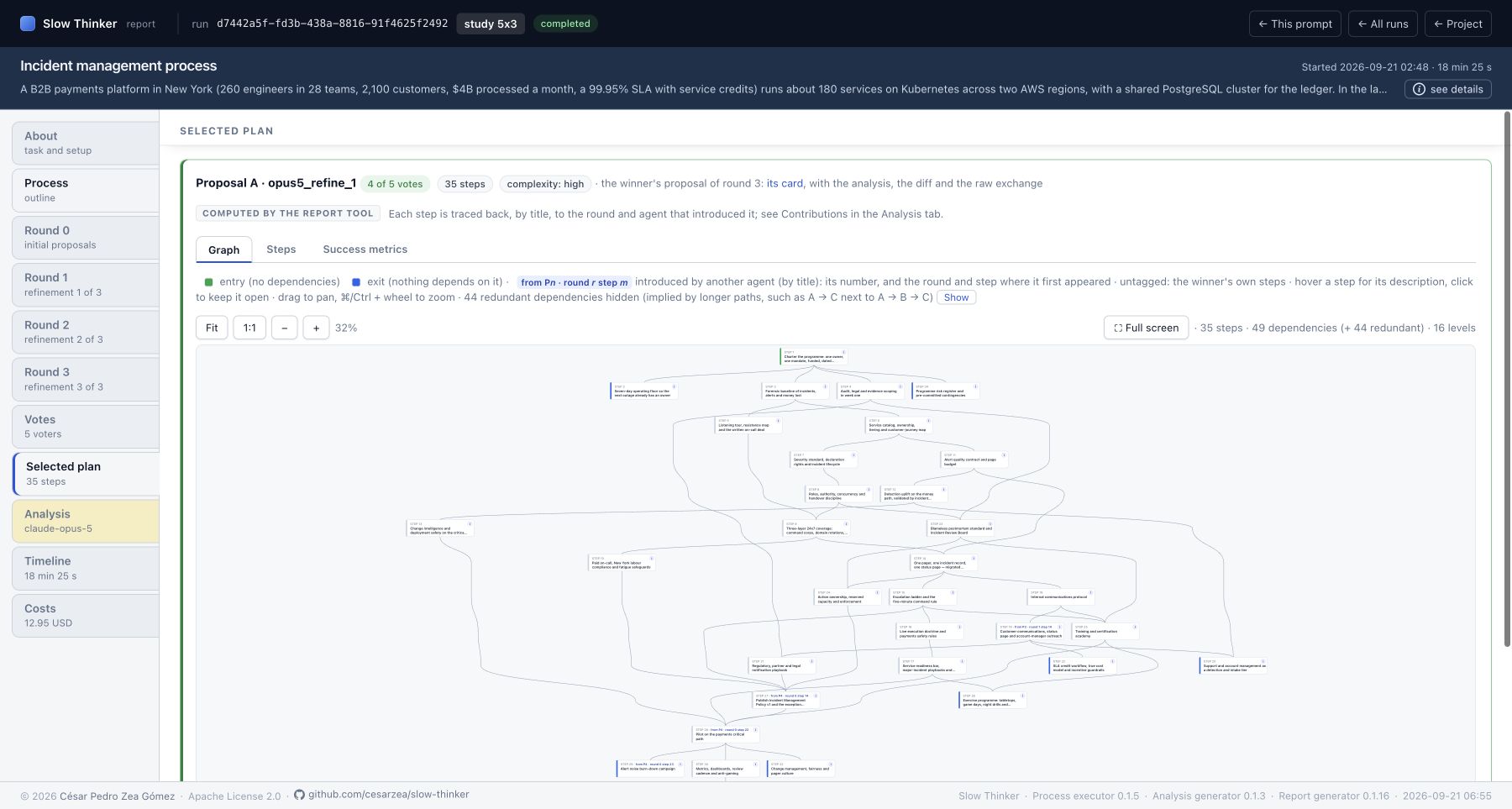
Recorded: executor 0.1.5 · analyst 0.1.3 · report 0.1.16
Captured 2026-09-21 · Capture provenanceExplore this view ↗
| Element | Meaning |
|---|---|
| Step numberReviewed R 0.1.16 | One-based position in the proposal's saved step list. The underlying step ID is a UUID; display numbers are easier to follow within that proposal. |
| Step titleReviewed R 0.1.16 | Model-written title, wrapped and possibly shortened in a graph node. Open its popover for the full title and description. |
| Green entry accentReviewed R 0.1.16 | No usable dependencies after graph preprocessing. A node that is both entry and exit is displayed with the entry accent. |
| Blue exit accentReviewed R 0.1.16 | No other usable step depends on this node, and it is not marked as entry. |
| Grey accentReviewed R 0.1.16 | Intermediate step with predecessor/successor relationships. |
| Directed arrowReviewed R 0.1.16 | A declared dependency, from prerequisite to dependent step. It is not a duration, influence edge or guarantee of feasibility. |
| LevelsReviewed R 0.1.16 | Number of layout layers based on longest paths through the usable dependency graph. It is not an elapsed-time estimate. |
| Dependencies countReviewed R 0.1.16 | Displayed non-redundant usable arrows. Additional redundant arrows are reported separately. |
| Redundant dependencyReviewed R 0.1.16 | A direct edge already implied by a longer path, such as A→C alongside A→B→C. Hidden initially to reduce visual clutter. |
| Dependency loop warning / red dashed edgeReviewed R 0.1.16 | A cycle-closing edge ignored when laying out the acyclic graph, still indicated as a problem. The renderer does not repair the plan's logic. |
| Unknown dependency warningReviewed R 0.1.16 | A dependency points to a nonexistent or unusable step; it cannot be drawn normally. Current proposal validation already drops unknown/self references, but older or edited records can still contain them. |
From Pn step mReviewed R 0.1.16 |
In a refinement, this step's title is assigned to a peer's preceding proposal/step. |
| NewReviewed R 0.1.16 | No qualifying previous-round title source. It is not proof of a novel concept. |
| Untagged refinement stepReviewed R 0.1.16 | Retained from the agent's own previous version by the title heuristic. |
From Pn · round r step mReviewed R 0.1.16 |
In Selected plan, origin traced to the earliest introducing agent/round/step found by the method. Untagged selected steps are attributed to the winning agent's own introductions. |
| Control | Action |
|---|---|
| Hover or focus a nodeReviewed R 0.1.16 | Show its full title, description and origin annotation. |
| Click a nodeReviewed R 0.1.16 | Pin the explanation; close it with ×, outside click or Escape. Drag the popover header to move it. |
| FitReviewed R 0.1.16 | Fit the complete graph to the viewport, up to native size. |
| 1:1Reviewed R 0.1.16 | Reset zoom and position to native SVG size. |
| − / +Reviewed R 0.1.16 | Scale out or in around the visible centre. The percentage displays current zoom. |
| DragReviewed R 0.1.16 | Pan the graph. |
| ⌘/Ctrl + wheelReviewed R 0.1.16 | Zoom around the pointer; the implementation clamps scale between 10% and 400%. |
| Full screenReviewed R 0.1.16 | Use the browser fullscreen API for the graph; Escape exits. |
| Show / Hide redundantReviewed R 0.1.16 | Toggle faint dashed transitive dependencies. Counts remain distinct from the main arrows. |
The positions are generated to expose dependencies and reduce crossings. Horizontal proximity and node size do not encode semantic similarity, effort or importance.
| Element | Meaning and interaction |
|---|---|
| Steps paneReviewed R 0.1.16 | Numbered titles in saved order. Open an individual disclosure to read the description. |
(after …)Reviewed R 0.1.16 |
Dependencies translated from UUIDs to local step numbers. ? indicates an unknown reference in a stored record. |
| Origin badgeReviewed R 0.1.16 | Same title-attribution annotation as the graph, without needing to pan. |
| Show all descriptionsReviewed R 0.1.16 | Expand or collapse every step description in that list at once. |
| Success metrics paneReviewed R 0.1.16 | Criteria written by the model for judging its proposed outcome. Markdown is rendered and some older enumerated strings are split into readable items. These are proposed measures, not observed measurements. |
| N/A / empty-plan messageReviewed R 0.1.16 | The corresponding content is absent. A missing graph is not a successful empty execution. |
The proposal's Raw pane contains both the captured system/human prompt text and response text. Use it to inspect exactly what context the call was given, including truncation by max_steps_in_summaries. With structured output, the saved response can be a serialization of the parsed JSON rather than an untouched provider wire payload.
The raw generated step labels may differ from the saved UUIDs: proposal validation assigns fresh UUIDs and rewrites dependencies. Display numbers are local to each proposal and should not be compared across rounds as persistent identities. Selected plan has no separate model call or raw response; its link to the original winning card provides that exchange.
Source files used for this reference
Reviewed at 7361ea0b71a5.